As form respondents submit their leave requests via your Google form, you can track the status of each request from the Responses spreadsheet.
Procedure
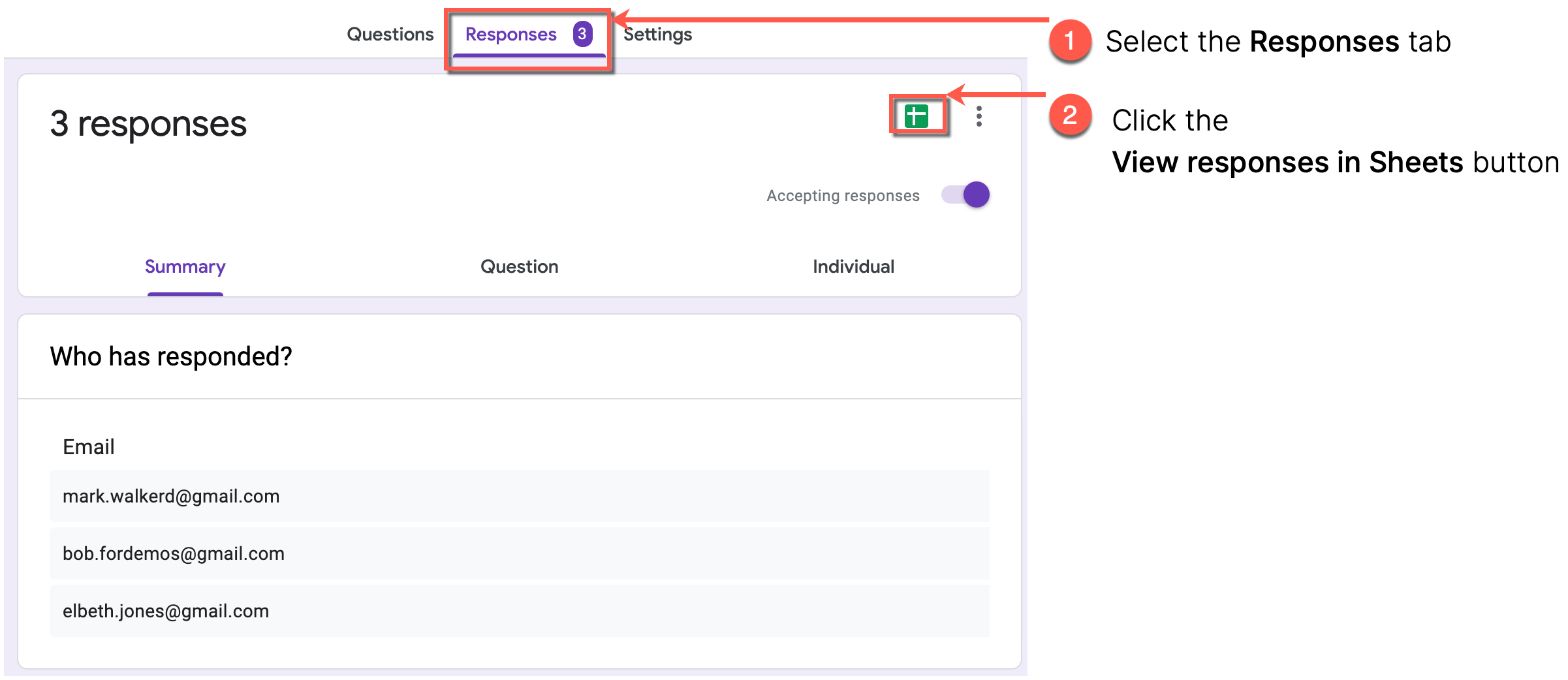
- In the Google form for leave requests, select the Responses tab.
- In the Responses tab, click the View responses in Sheets button in the upper-left corner.
Result
The Responses sheet opens in a new tab.
What's next
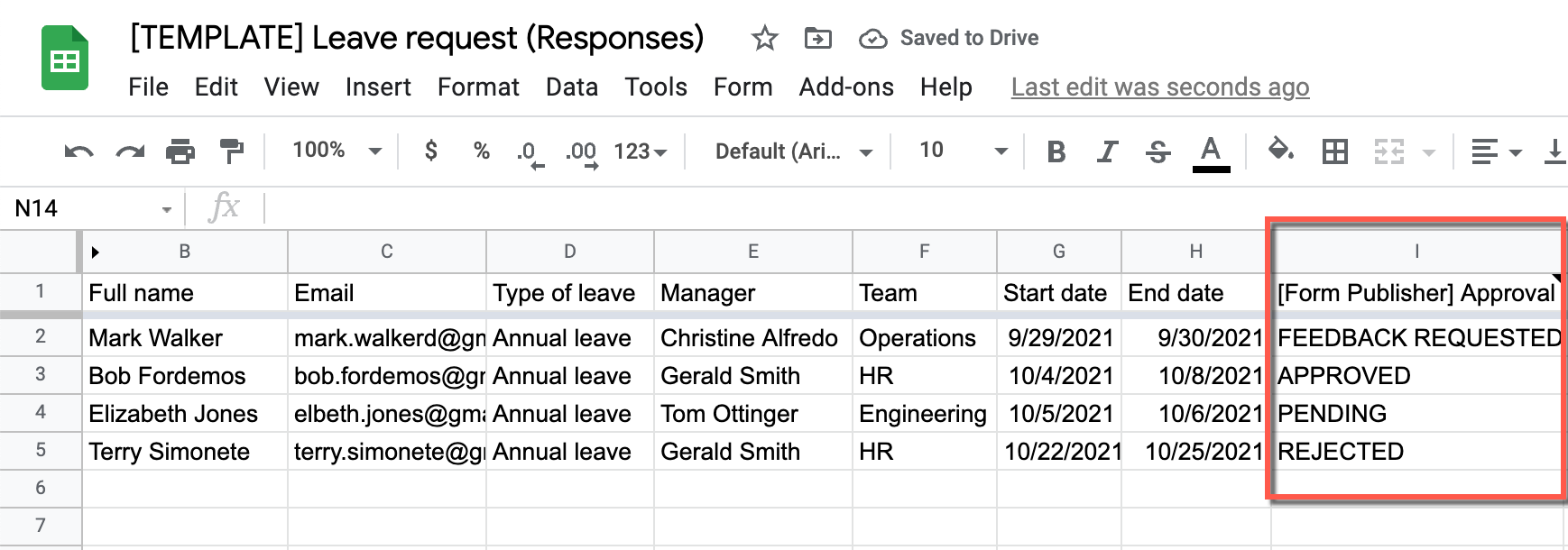
You can review the status of each submitted leave request in the [Form Publisher] Approval column.
|
Status |
Description |
|
PENDING |
The request is submitted and is not yet processed (accepted or rejected). |
|
FEEDBACK REQUESTED |
One of the approvers requested more information before they decide whether to approve or reject the request. |
|
APPROVED |
The request is approved. |
|
REJECTED |
The request is rejected. |